Your network speed, on the taskbar.

Live upload and download next to the clock, and an alert when an app suddenly burns through your data.
  • Free
  • Windows 10 and 11
  • x64 and ARM64
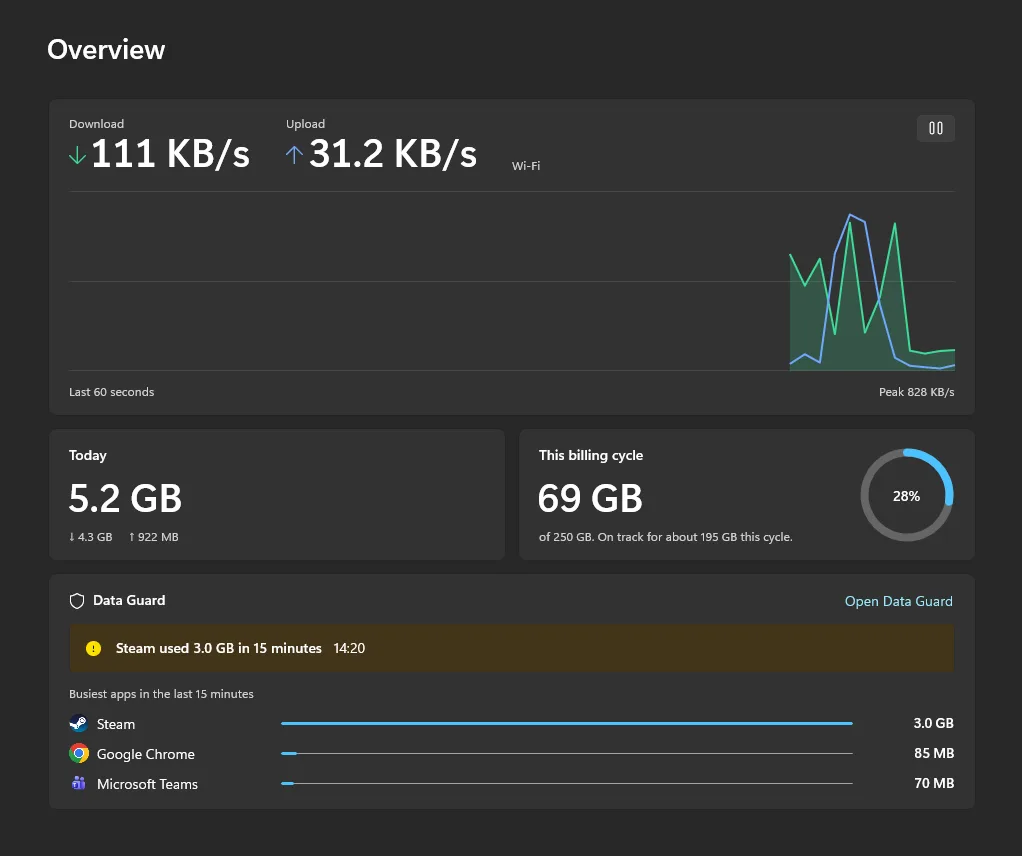
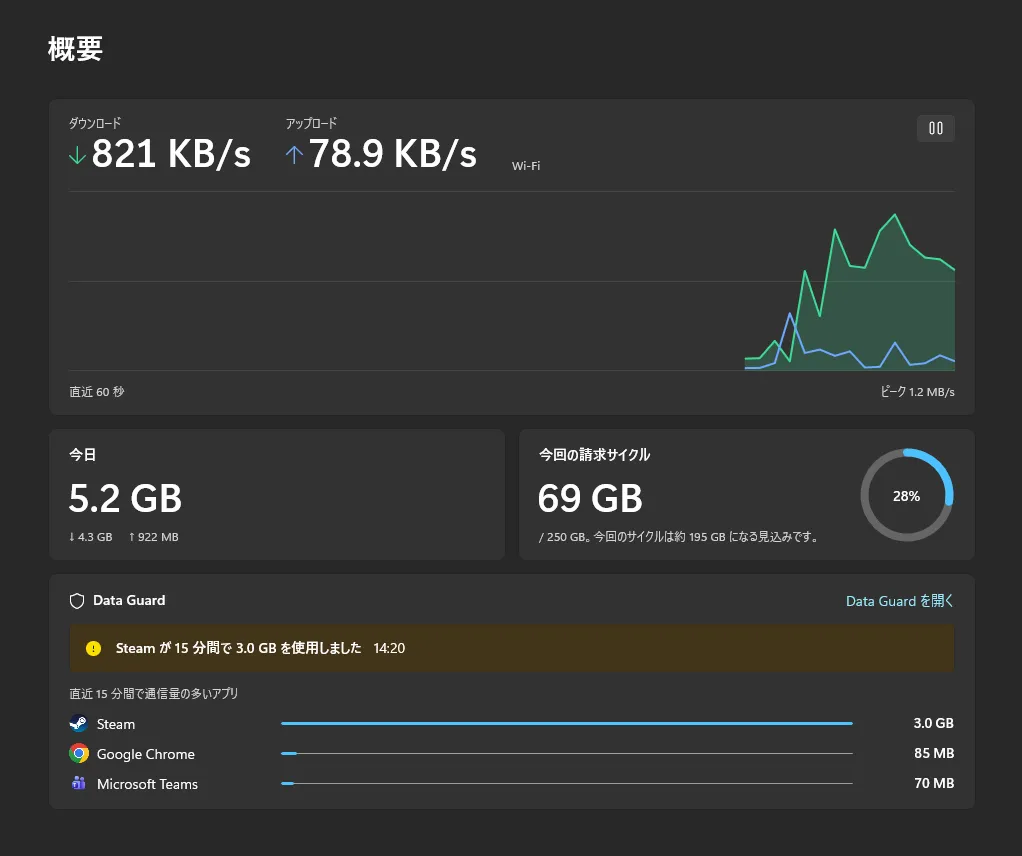
The Bytevane dashboard: live download and upload speeds with a chart of the last 60 seconds, 5.2 GB used today, 69 GB of a 250 GB billing cycle, and a Data Guard alert that Steam used 3.0 GB in 15 minutes.

Always in view, never in the way

Upload and download sit next to the clock, sharp at any display scale, with today’s total and ping beside them if you like. Hover for a live chart. A tray icon shows the same speeds.

How Bytevane sits on the taskbar. Sample values.

Find out which app is using your data

Once a minute, Data Guard checks how much data each app used in the last 15 minutes. When one reaches the limit you pick, 500 MB unless you change it, you get a notification that names it: a game update, a cloud sync, a backup you forgot. On metered connections such as a phone hotspot the limit drops to a quarter, so it warns sooner.

Steam used 3.0 GB in 15 minutes

14:20
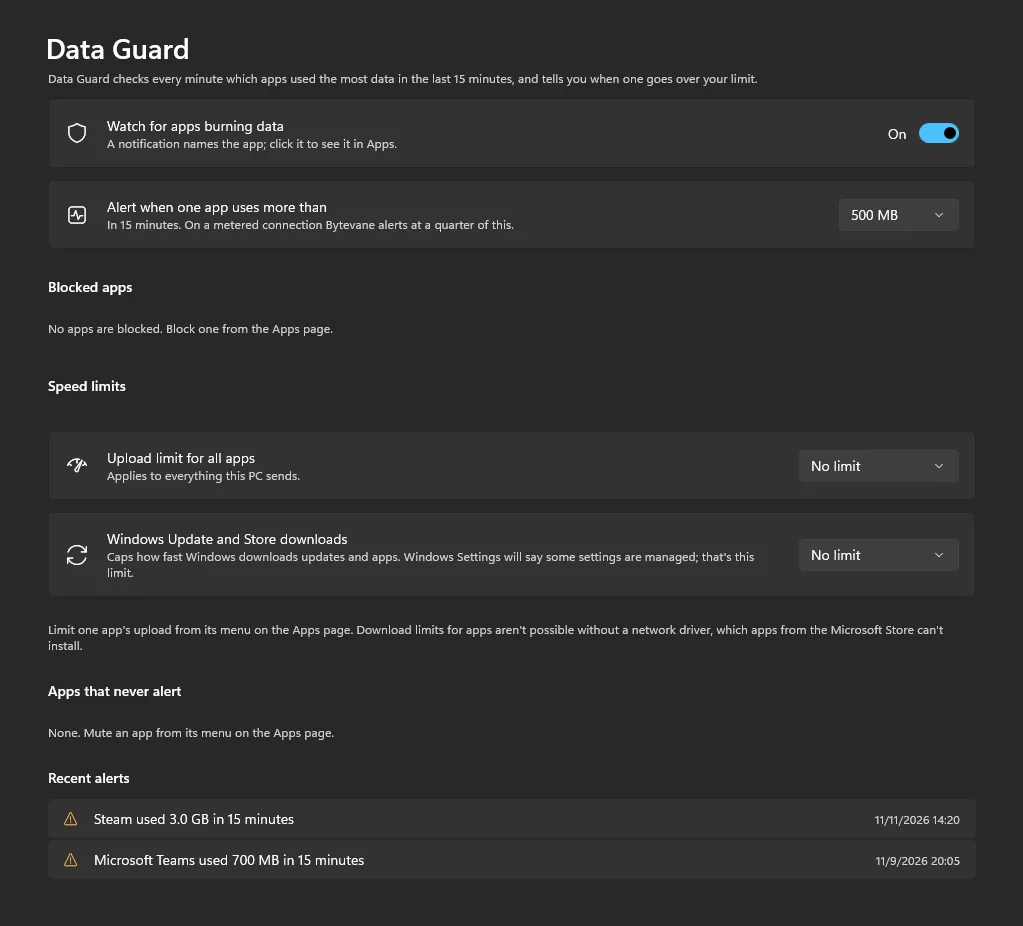
The Data Guard page: when to alert, upload speed limits, a Windows Update download cap and a list of recent alerts.

See where your data went

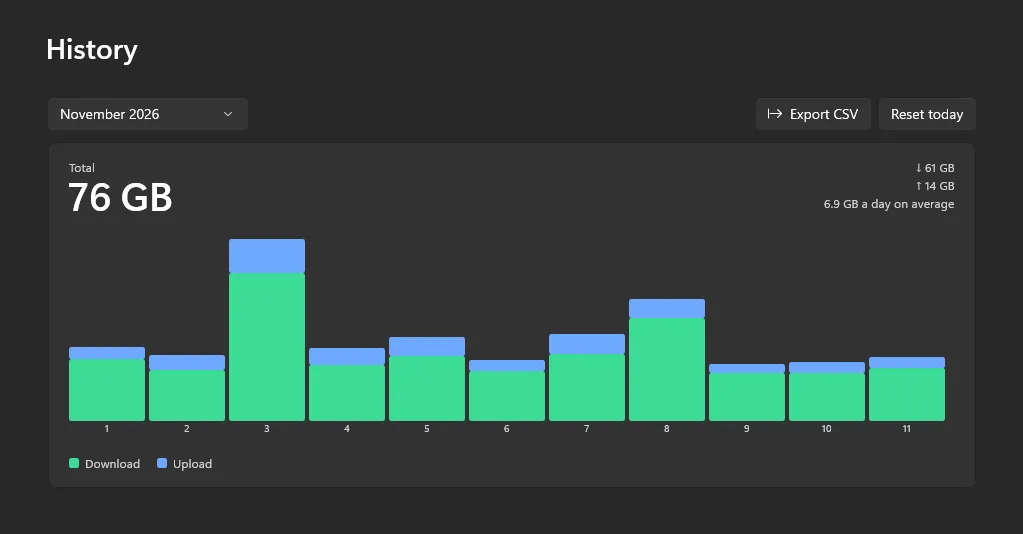
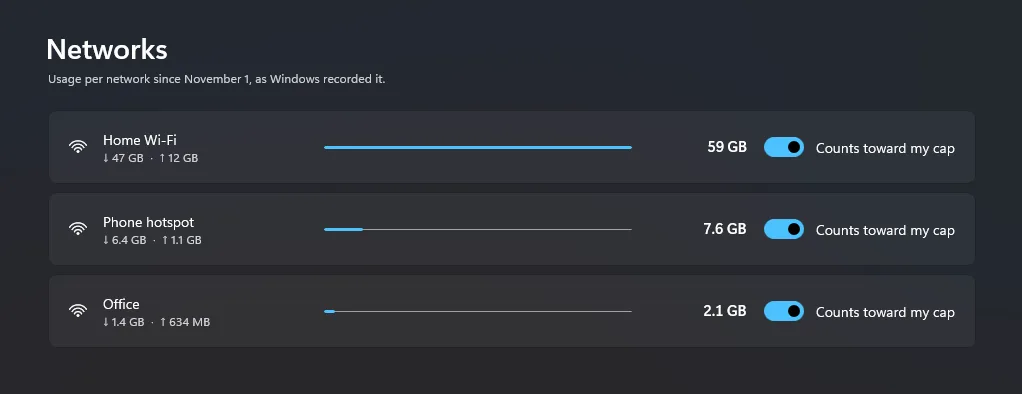
Every app and every network, by the day, from records Windows already keeps. So history goes back to before you installed Bytevane.
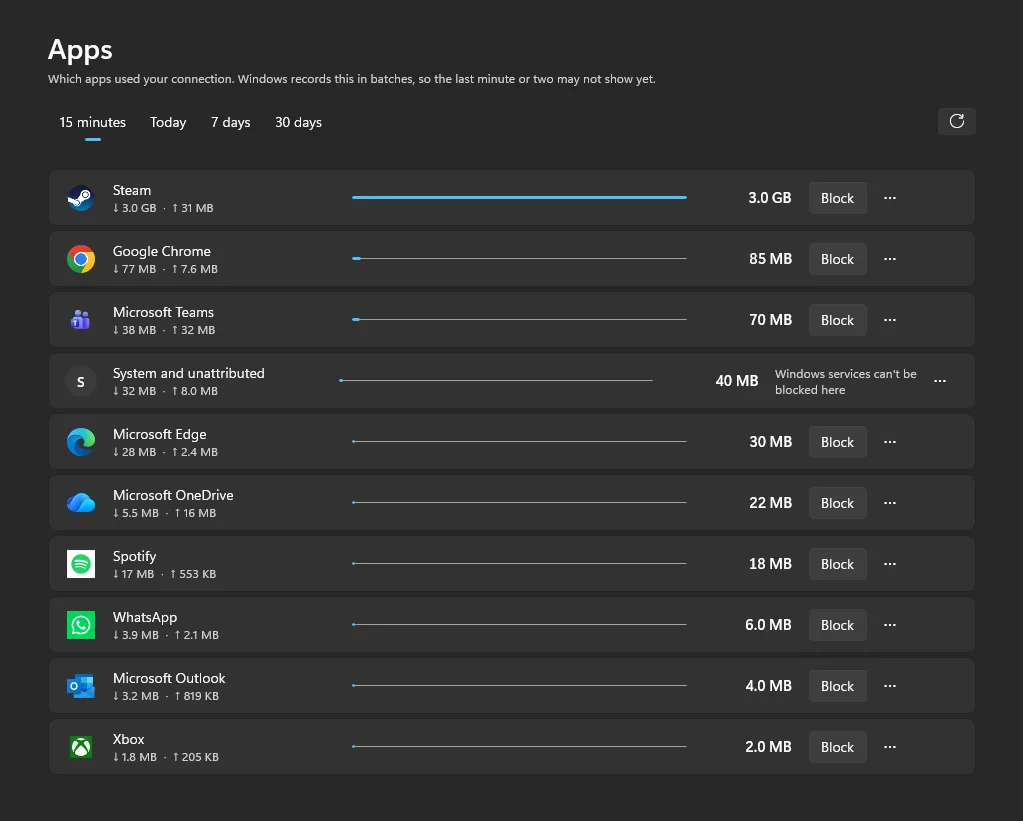
The Apps page: ten apps with their icons, the data each used, and a Block button beside each one.

Private by design, light by design

Your usage data stays on your PC. Bytevane has no account to sign in to and no server to send anything to. Read the privacy policy

  • No account

    Nothing to sign up for. Install it and it works.

  • No telemetry

    No analytics, no tracking, no Bytevane server.

  • Memory

    16 MB

    Used by the always-on part that draws the taskbar speeds.

  • CPU

    0.2%

    Of one core. The dashboard runs only while it is open.

Free to use. Pro is one payment.

Everything above is free. Pro adds control over what apps can do on your connection.

Bytevane

Free

Everything you need to watch your connection

  • Live speeds on the taskbar and in the tray
  • Live chart on hover
  • Dashboard: overview, apps, networks and history
  • CSV export
  • Data Guard alerts

Bytevane Pro

USD 24.99

One payment. No subscription.

  • Block any app with Windows Firewall, and unblock it any time
  • Cap one app’s upload speed, or your whole PC’s
  • Cap how fast Windows Update and the Store download
  • A monthly data cap with a forecast of the day you will reach it, and alerts at 50%, 80% and 100%
  • Caps for one network: count only your phone hotspot or travel router

You buy Pro inside Bytevane, through the Microsoft Store, which shows the price in your currency. Pro belongs to your Microsoft account, so it unlocks on every PC you sign in to.
Bytevane at a glance

What it is
Bytevane is a free internet speed meter and data usage monitor for Windows. It shows live download and upload speeds on the taskbar, shows which app is using your data, and alerts you when an app uses a lot of data in a short time.
Price
Bytevane is free, with no ads and no time limit. Bytevane Pro is an optional one-time purchase of USD 24.99, with no subscription.
Privacy
Bytevane has no account, no telemetry and no server. Your usage data stays on your PC.
Runs on
Windows 10 (version 1809) or later, and Windows 11, on x64 and ARM64 PCs.
Languages
English, 日本語, 简体中文 and Deutsch.
Formerly
NetSpeed Tray. Bytevane 2.0 arrives as an update, and your settings and history carry over.
Asks first
Blocking an app or setting a speed limit asks for administrator approval every time.
The Bytevane overview in Japanese.
The dashboard in Japanese.

See your speed. Catch the next data spike.

Free from the Microsoft Store.

Get it from the Microsoft Store